
Dynamics · Multiband Compressor
Tripressor
Dynamics. Refined. A 3-band feedforward mastering compressor built around a custom analog/linear crossover, AI Learn, and a 4-character THD saturation stage, for mixes that need to sit tight without losing air.
Specifications
- Category
- Dynamics · 3-band compressor
- Format
- VST3
- OS
- Windows & macOS
- Version
- 1.7.10
- Bands
- Low / Mid / High, Analog or Linear crossover
- Crossover accuracy
- <0.01 dB deviation at unity, both modes
- Detectors
- HP / LP / Bell / Bell 2, Tube or Fuzz colour
- Modes
- Comp, Optical, Overkill, Expand (per band)
- Ratios
- 7-step LED, 2:1 to 20:1
- Saturation
- THD stage: Soft / Tape / Iron / Air
- Assist
- AI Learn, loudness-targeted auto setup
- Activation
- license.sidekey.fr, 2 machines
Overview
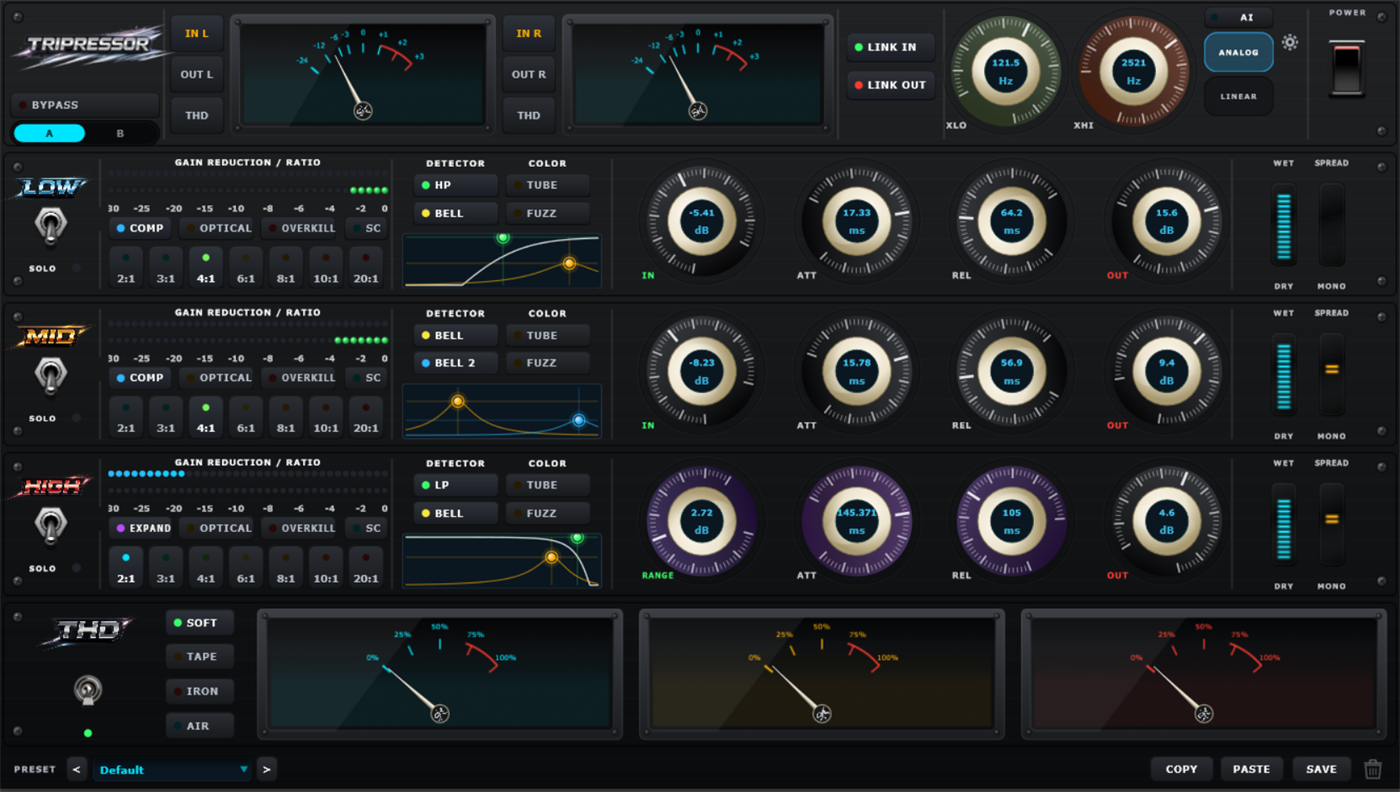
Tripressor splits the signal into three bands (Low, Mid and High), each with its own compressor, detector shaping and gain-reduction path, crossed over with a crossover filter built from scratch for the project. Every band can switch between Comp, Optical, Overkill and Expand modes, choose its own detector filter (HP, LP, Bell or Bell 2) and colour that detector with a Tube or Fuzz character before the gain reduction is even applied.
Two crossover modes are on offer, and both hold under 0.01 dB of deviation at unity: Analog uses gentle, slightly overlapping slopes that preserve transients and lean musical; Linear uses a linear-phase response for more surgical frequency separation on modern, detail-critical material. Ratios run from a gentle 2:1 up to a limiting 20:1 per band on a 7-step LED selector, with independent attack, release, input and output gain, plus a per-band Dry/Wet blend and a Mono/Stereo Spread control for shaping width exactly where it's needed.
Underneath the three bands sits a THD saturation stage with four characters (Soft, Tape, Iron and Air), driven by its own three-needle VU metering, so the full mastering chain can live in one processor instead of needing a separate final limiter.
Why only three bands?
A question the developer gets asked often. Answer, in their own words:
"The choice of three bands is above all a choice for precision and musicality. […] In most situations, you rarely need to compress extreme high frequencies independently. […] Rather than adding a fourth band that would rarely get used, I chose to build in an advanced sidechain detection system that lets you precisely define which zones trigger compression, using Bell, High Pass and Low Pass filters."
Inside the plugin
What each band gives you.
Independent band engines
Low, Mid and High each run their own compressor with dedicated attack, release, ratio and detector controls.
Four compression modes
Comp, Optical, Overkill and Expand, selectable per band for a different transient response on each range.
Independent upward expansion
Each band's Expand mode runs its own ratio, attack, release and range, alongside compression at all times.
Shaped detection
HP, LP, Bell and Bell 2 detector filters, each with a Tube or Fuzz colour, so the compressor reacts to the part of the spectrum that matters.
THD saturation stage
Soft, Tape, Iron and Air characters add harmonic weight, with three dedicated VU needles and a true-peak safety ceiling.
AI Learn
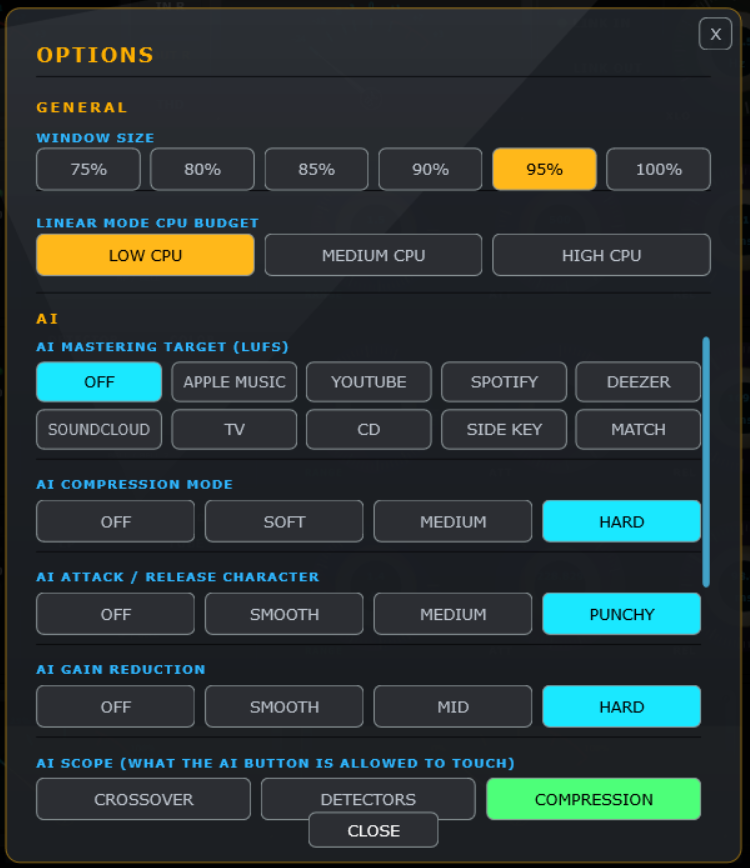
Listens to your program material and sets compression, expansion, sidechain detection and crossover for a target streaming-platform loudness.
Analog or Linear crossover
Under 0.01 dB deviation either way: pick musical overlap or surgical linear-phase separation.
Link In / Link Out
Ganged input/output trim keeps the stereo image coherent when you want it.
A/B compare & presets
Store two full states, flip between them instantly, and browse a factory and user preset library.
A closer look
Under the hood.


Free vs Pro
Try it before you buy it.
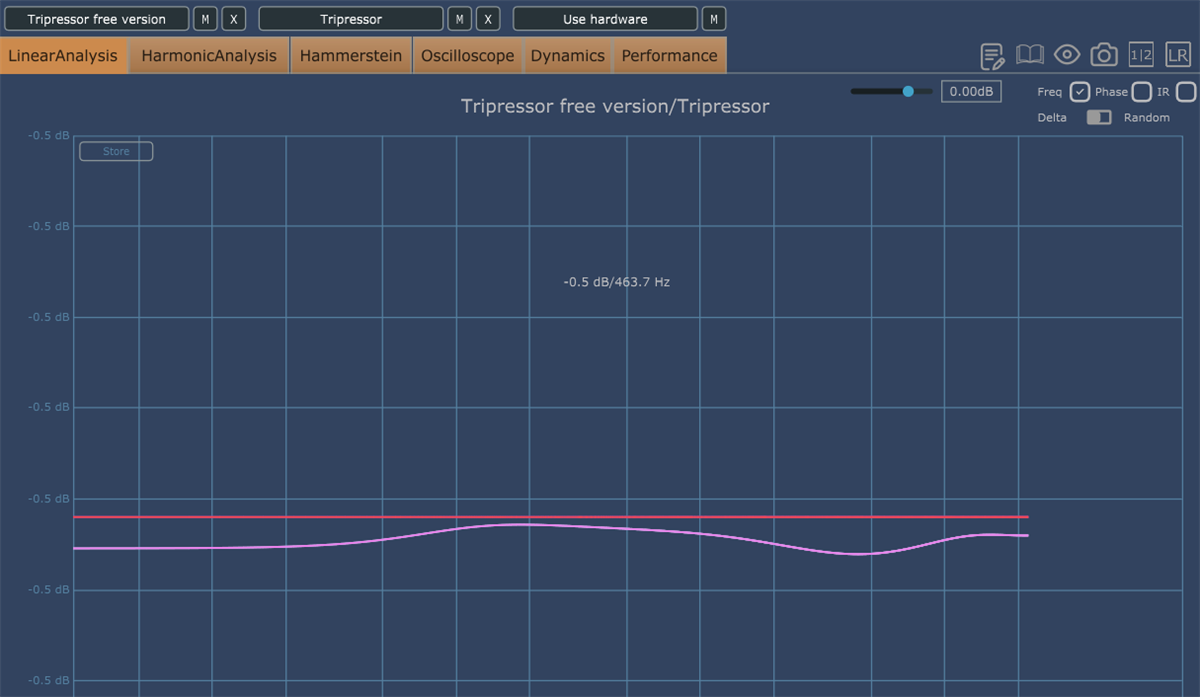
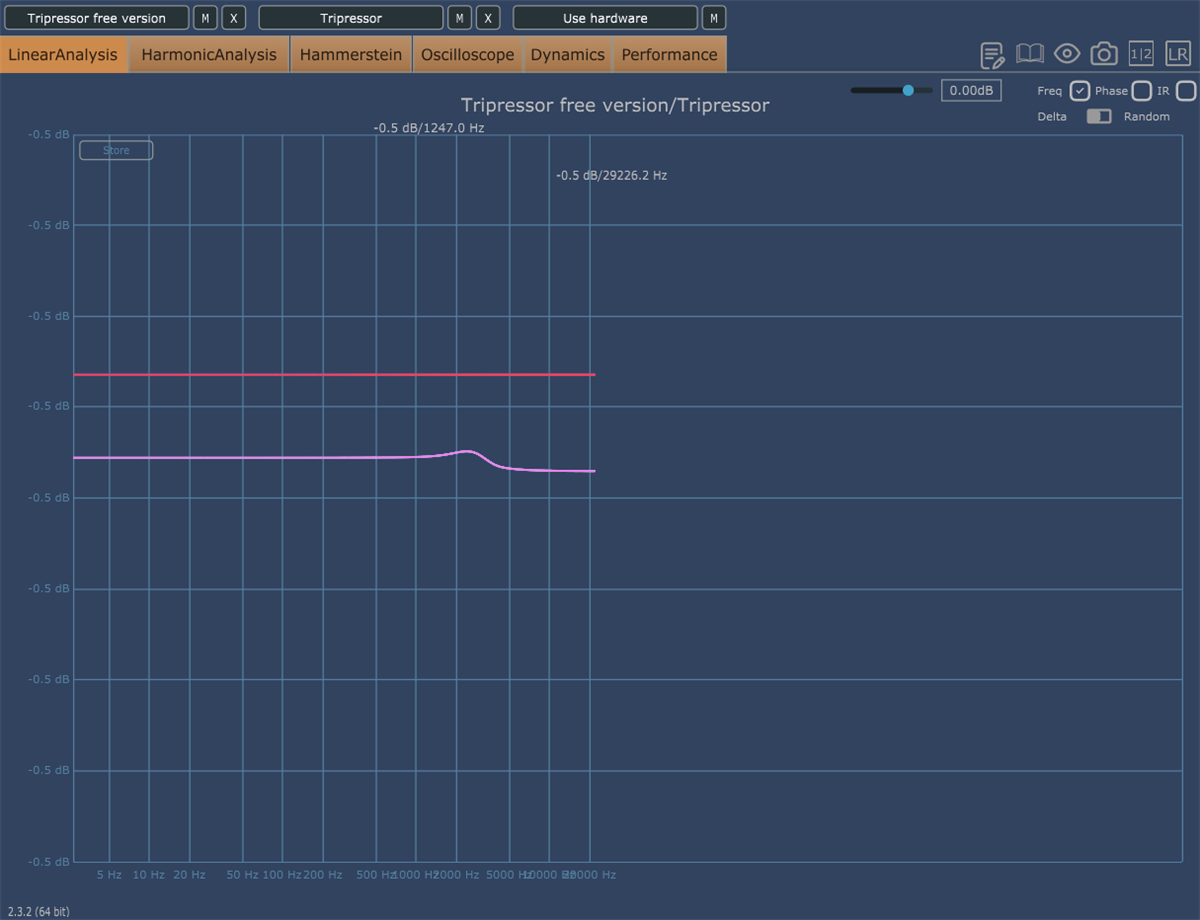
Tripressor Free runs the same three-band engine as the paid version. We verified the two against each other with Plugin Doctor: the frequency response matches within ±0.5 dB across the audible range.
For the exact feature difference between the two builds, see the listings on Gumroad.
Questions
FAQ
What formats does Tripressor come in?
Tripressor is a VST3 plugin for Windows & macOS.
Is there a free version of Tripressor?
Yes. Tripressor Free runs the same three-band engine and was engineering-matched against the paid version's signal path. Download it from the Gumroad listing to try before you buy.
How does licensing and activation work?
Gumroad generates your license key automatically at checkout. Activate it from inside the plugin through license.sidekey.fr, on up to two machines per license.
What does the THD section do?
It's a post-compression saturation stage with four characters (Soft, Tape, Iron and Air) for adding harmonic weight or top-end grit after the compression.
What does AI Learn do?
It listens to your program material and calculates compression, expansion, sidechain detection and crossover settings, targeting the loudness norm of a streaming platform you choose: Apple Music, YouTube, Spotify, Deezer and more.
Why does Tripressor only have three bands?
Three bands keep the crossover precise and the processing musical. Instead of a rarely-used fourth band, Tripressor gives each band an advanced sidechain detection system (Bell, High Pass, Low Pass) to target problem frequencies without adding extra separation.
Can I move my license to a new computer?
Yes. Remove a machine from your license through the activation flow to free up a slot for a new one.
Hear it on your own mix.
Grab the free version, or go straight for the full engine.