
Dynamics · Dynamic Spectral Shaper
Claw
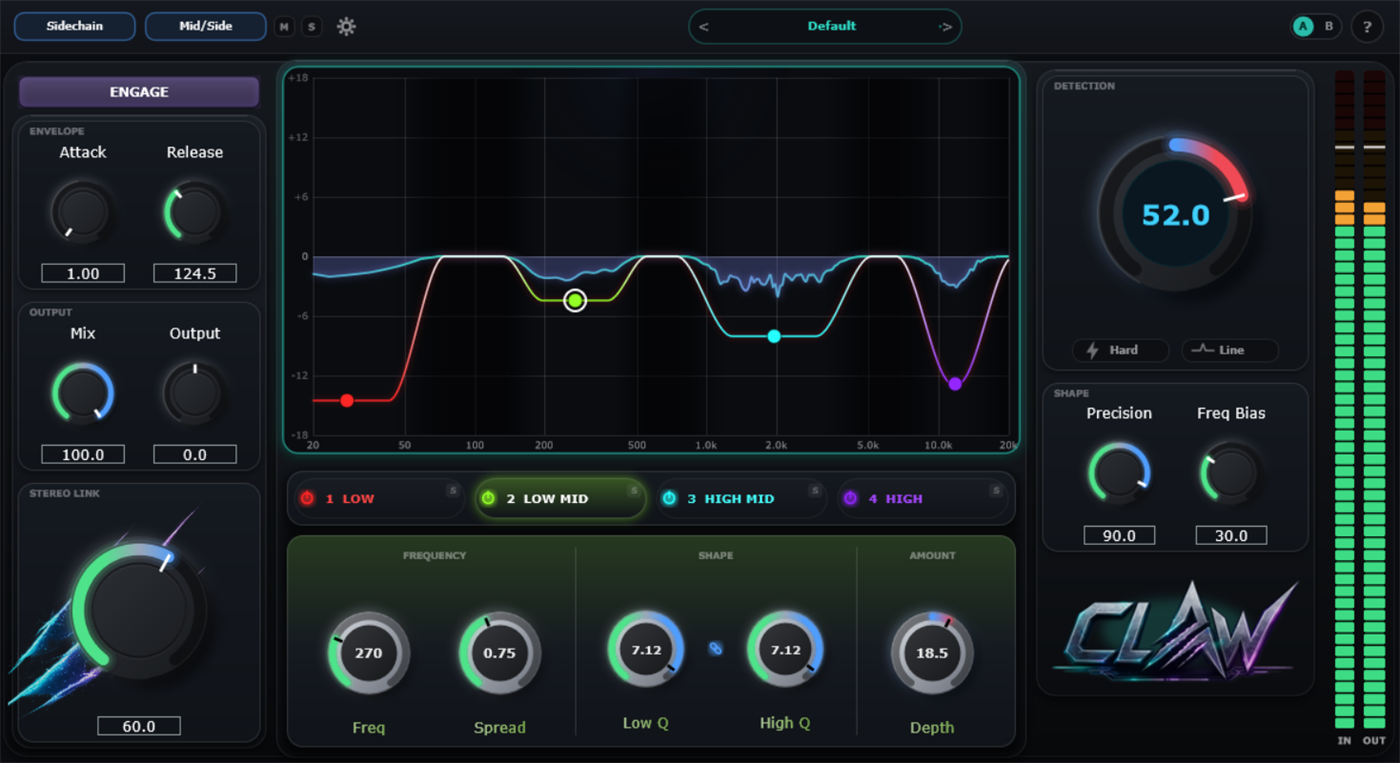
Point-and-spread resonance suppression. Place a point on the spectrum, pull it into a low/high bracket, and Claw hunts down and tames whatever resonates inside it, no static EQ cuts, just the frequencies actually misbehaving right now.
Specifications
- Category
- Dynamics · Dynamic EQ / spectral shaper
- Format
- VST3
- OS
- Windows & macOS
- Version
- 1.6.0
- Target zones
- 4 independent, Low to High
- Sidechain
- Sidechain Anti-Masking input
- Channel modes
- Stereo and Mid/Side (Pro)
- Quality modes
- Eco / Normal / High
- Activation
- license.sidekey.fr, 2 machines
Overview
Claw is a spectral resonance suppressor built around target zones. Place a point on the spectrum, pull it apart into a low/high bracket, and Claw hunts down and tames whatever resonates inside that bracket, no static EQ cuts, just the frequencies that are actually misbehaving right now.
Four independent zones each get their own Depth control (attenuate or enhance), an octave-stable Spread, and Low Q / High Q for how steep the edges bite. A master Detection dial scales every active zone together, with a Hard mode for when the correction needs to go further, plus Sidechain Anti-Masking so Claw can react to a different source than the one it's processing.
On the paid tier, Mid/Side processing lets the center and sides of the stereo image get treated independently, and an Eco / Normal / High quality switch trades CPU load for detection precision depending on the session.
Inside the plugin
Four zones, one reactive curve.
4 independent target zones
Each with its own Depth (attenuate or enhance), octave-stable Spread and edge steepness.
Master Detection dial
Scales every active zone together, from subtle to a dedicated Hard mode for deeper correction.
Sidechain Anti-Masking
Trigger the spectral suppression from a different source than the one being processed.
Mid/Side processing (Pro)
Shape the center and sides of the stereo image independently.
Eco / Normal / High quality
Trade CPU load for detection precision depending on what the session needs.
A/B compare
Store two full states and flip between them instantly while you dial in a setting.
Free vs Pro
Drag to compare.
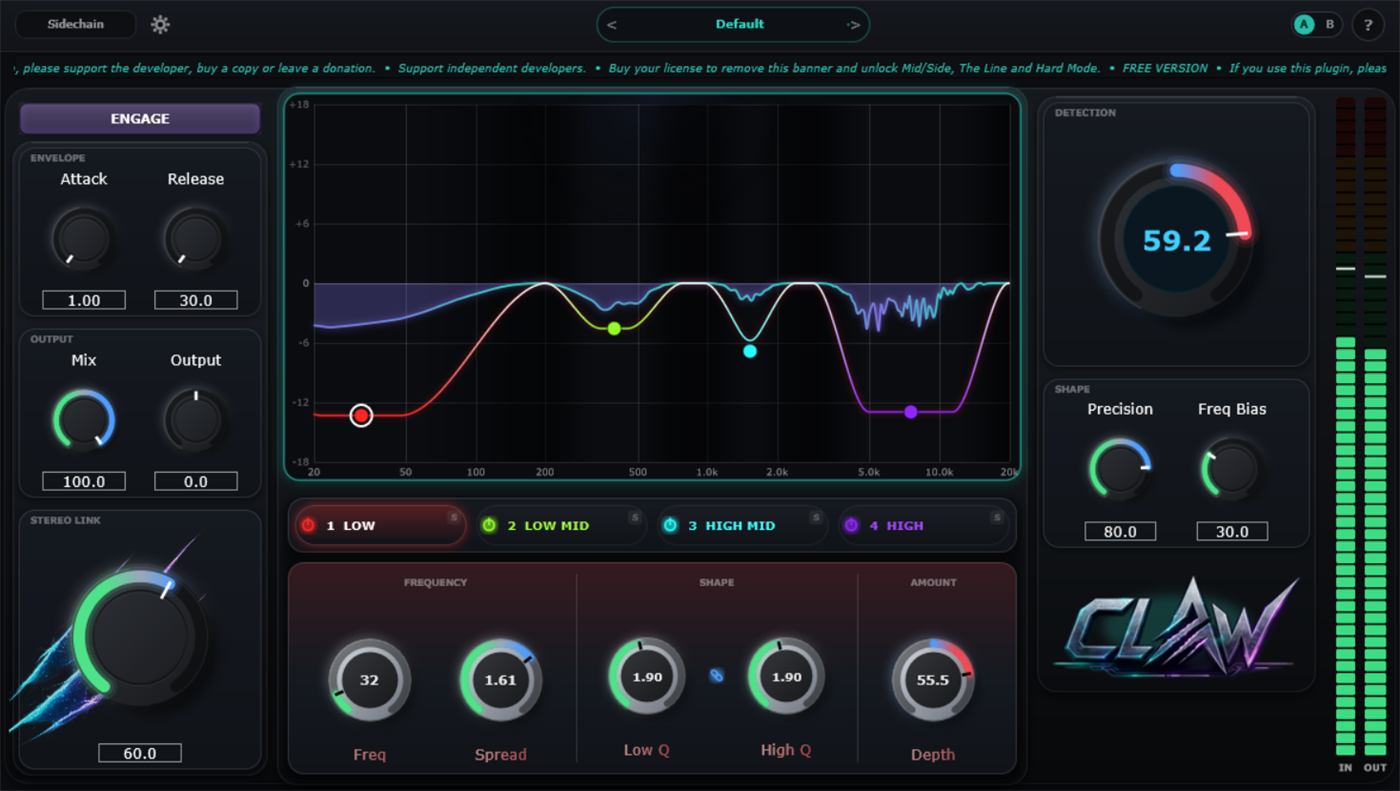
Claw Free runs the full 4-node engine. Claw Pro unlocks Mid/Side processing, Line detection and Hard Mode, and removes the support banner shown below.
 FREE
PRO
FREE
PRO
| Feature | Free | Pro |
|---|---|---|
| 4-node dynamic spectral engine | Yes | Yes |
| Sidechain input | Yes | Yes |
| Mid/Side processing | × | Yes |
| Line detection mode | × | Yes |
| Hard Mode | × | Yes |
| Support banner | Shown | Removed |
Questions
FAQ
What does Claw actually do?
Claw is a spectral resonance suppressor: place a point on the spectrum, pull it into a low/high bracket, and Claw hunts down and tames whatever resonates inside it in real time. Not a static EQ cut, a reaction to what's actually happening in the signal.
What's the difference between Claw Free and Claw Pro?
Claw Free runs the full 4-node engine. Claw Pro adds Mid/Side processing, the Line detection mode and Hard Mode, and removes the support banner shown in the free build.
Does Claw support sidechain input?
Yes, Claw accepts an external sidechain input in addition to its own internal detection.
How does licensing and activation work?
Gumroad generates your license key automatically at checkout. Activate it from inside the plugin through license.sidekey.fr, on up to two machines per license.
Start with the free version.
No time limit. Upgrade whenever Mid/Side or Hard Mode earns its keep.